Assignment Eli PHP
Below are the assignment answers to the PHP Eli assignment questions, screen shots of the examples, and the links to the live examples.
PHP Programming Part 1 - Introduction to PHP Programming
1. How does Eli describe PHP?
A programming language that makes a website useful and allows you to interact with data and dynamically write web pages using HTML, CSS and Javascript.
2. Briefly compare and contrast scripted and compiled languages.
Compiled languages use software that when code is written, it outputs an executable file. Once executed, the file cannot be edited. In Scripted languages, a text file is uploaded to a server. Then the user can access the file and the software will then process the information and deliver it to the user. You can edit the code at anytime.
3. Briefly explain the difference between client side and server side scripting.
Server side scripting, all the process is made at the web server and then output the HTML to the user. Client side, the user access the server and only certain codes will be available to the user's computer.
4. What popular website does Eli cite as an example of what you can do with PHP and MySQL? Why did Eli thought that this particular site was a good example?
Craigslist.com because it is popular and useful yet the website is not very attractive.
5. What does Eli emphasize as the 'nice' thing about scripted languages such as PHP?
You are always using the text file and you can always read the source file.
6. What is notepad++? Why would Eli recommend notepad++?
A text editor like Windows notepad that contains a few additional features for writing code.
7. If you want to write and run PHP code, what do you need?
You would need a text editor and a web server with PHP interpreter installed.
8. How does Eli describe syntax?
Syntax is how you spell your code. Any spelling errors may cause the code not to run.
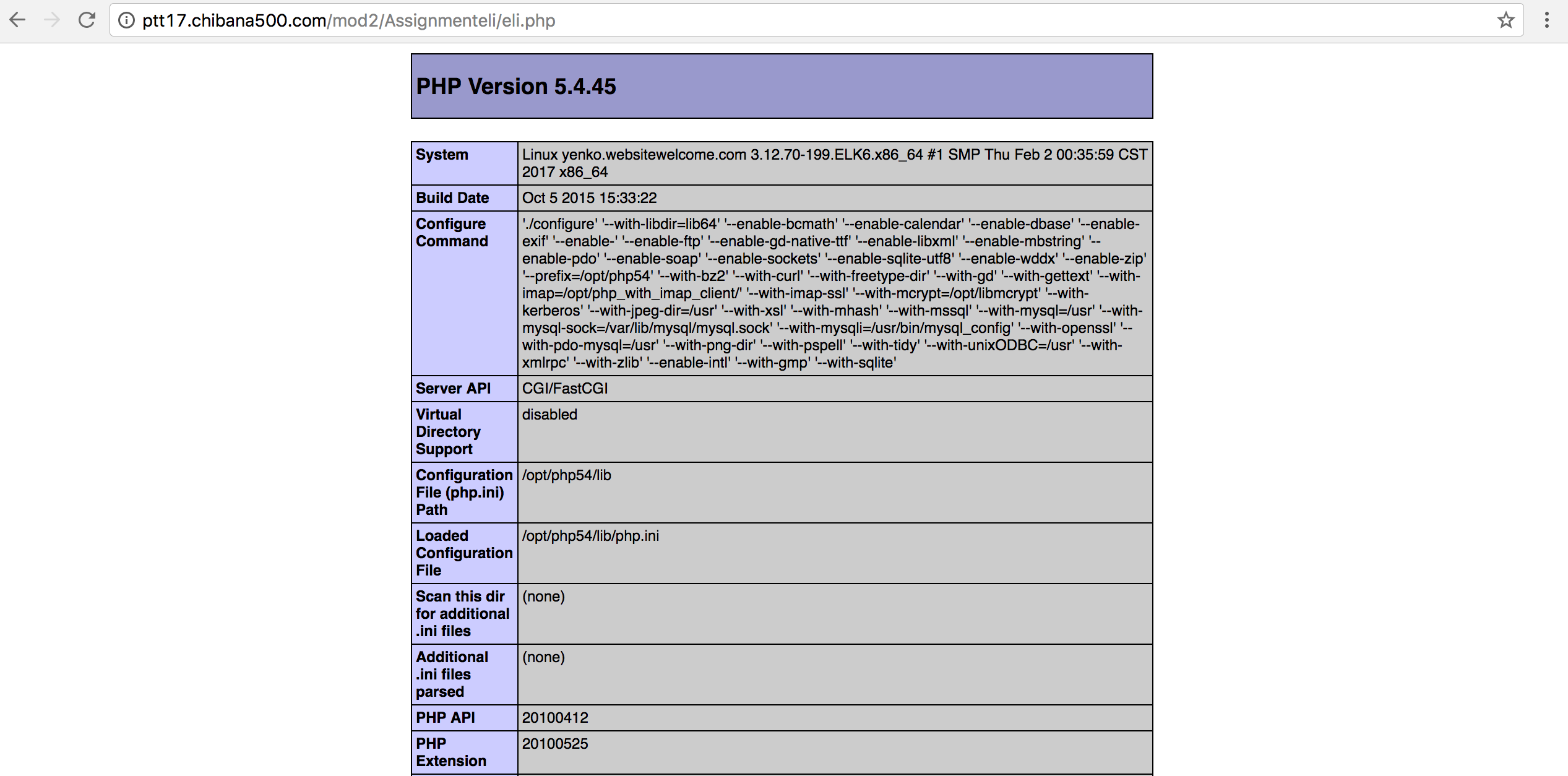
The image below is an image of Eli's notepad ++.php example program.
PHP Programming Part 2 - PHP Syntax and Errors
1. In a Linux context, does capitalization matter?
Capitalization makes a difference.
2. What are the basic attributes of PHP syntax?
Open PHP with <?php and close with ?>. Between the tags, create a command such as print and follow it with quotation marks around what you want outputted. End the command with a semicolon.
3. Discuss one of the PHP error handling techniques that Eli presents.
Web browser will print out the error in the file and tell you which line. Error may be on the line after or before.
4. What is the difference between printing text and printing HTML?
Web browser reads tags and html coding while PHP prints out text. When working with formatting, use html tags in your PHP so the browser displays correctly.
5. What happens if you add a PHP script to a HTML page and you don't change the file type to .php from .html?
The web browser can read only a HTML code and the PHP code is meant for a text viewer. A HTML tag needs to be used within the PHP code for a web browser to read the print commands accurately.
PHP Programming Part 3 - Comments and INCLUDE in PHP Programming
1. What are the three ways that you can make comments in PHP?
Single line comment: // OR #
Multi-line comment: /* */
2. What is the PHP include function? Why is it useful?
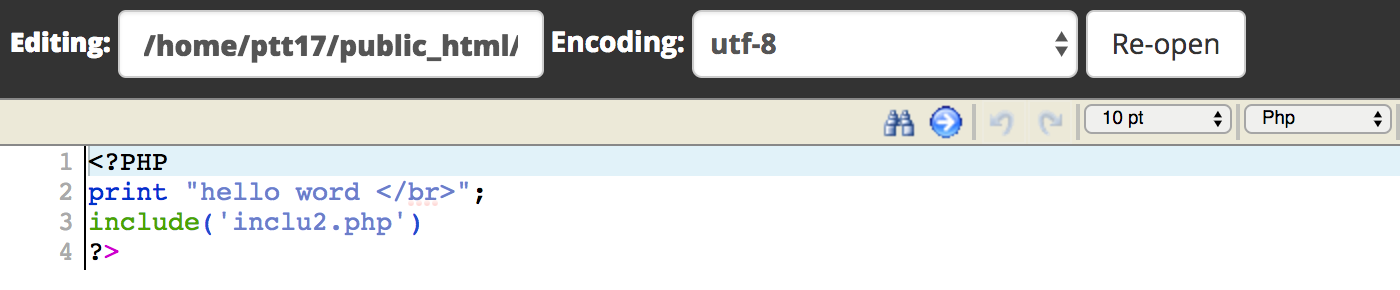
The PHP include function is a helpful tool in PHP that may include another file's information. It is useful because it reduces repetition.
The images below are an example of how the "include" function works.


PHP Programming Part 4 - Variables in Print in PHP Programming
1. What are the three types of PHP variables that Eli discusses?
Integers, Strings, and Arrays.
2. What naming rules apply to PHP variables?
Variables always start with a dollar sign ($) and must begin with a letter or an underscore. Capitalization matters.
3. Compare and contrast the html < br > tag in HTML and the \n in PHP.
< b r > is a client-side break which clients can see. \n also does a line break but the break will not show up to the user, only in code view.
PHP Programming Part 5 - HTML Forms and PHP Programming
1. What does it mean when Eli says that HTML creates static pages while PHP creates dynamic pages?
When clients visit a website written in PHP, the server reads the PHP code and then processes it according to its scripted directions. It treats the received code as it would a standard HTML page; making PHP pages very dynamic. For static HTML pages, the server sends HTML data to web browser and there is no server-side interpretation occurring.
2. In this exercise, you will use an HTML Textbox, an Option Box, and a Radio Button. What function does each of these input methods provide?
Textbox enables users to key in text. Option box restricts the choices down to a list of choices. Radio button does the same as option box, except all of the choices are visible. Radio button usually has less choices than option box
The images below are an example how Eli's HTML form ans PHP response programs work.


PHP Programming Part 6 - Printing to Files with PHP
1. In this example, you use the PHP file_put_contents() function. Briefly describe this function.
"file_put_contents" writes the information, that was given, to a file.
2. What is a CSV file? Why would you want to use one?
CSV stands for Comma Separated Value and the file is in a spreadsheet format. It can be opened with any spreadsheet program and then be saved as an excel file.
The images below are an example of Eli's PHP application that requests a user's email address and links it to a CSV file that may be opened with Microsoft Excel.


